
Microsoft Teams Rooms and Zoom Rooms
We integrate native room systems with calendars, touch panels and a consistent meeting interface. We also account for interoperability and BYOD when your operations require them.
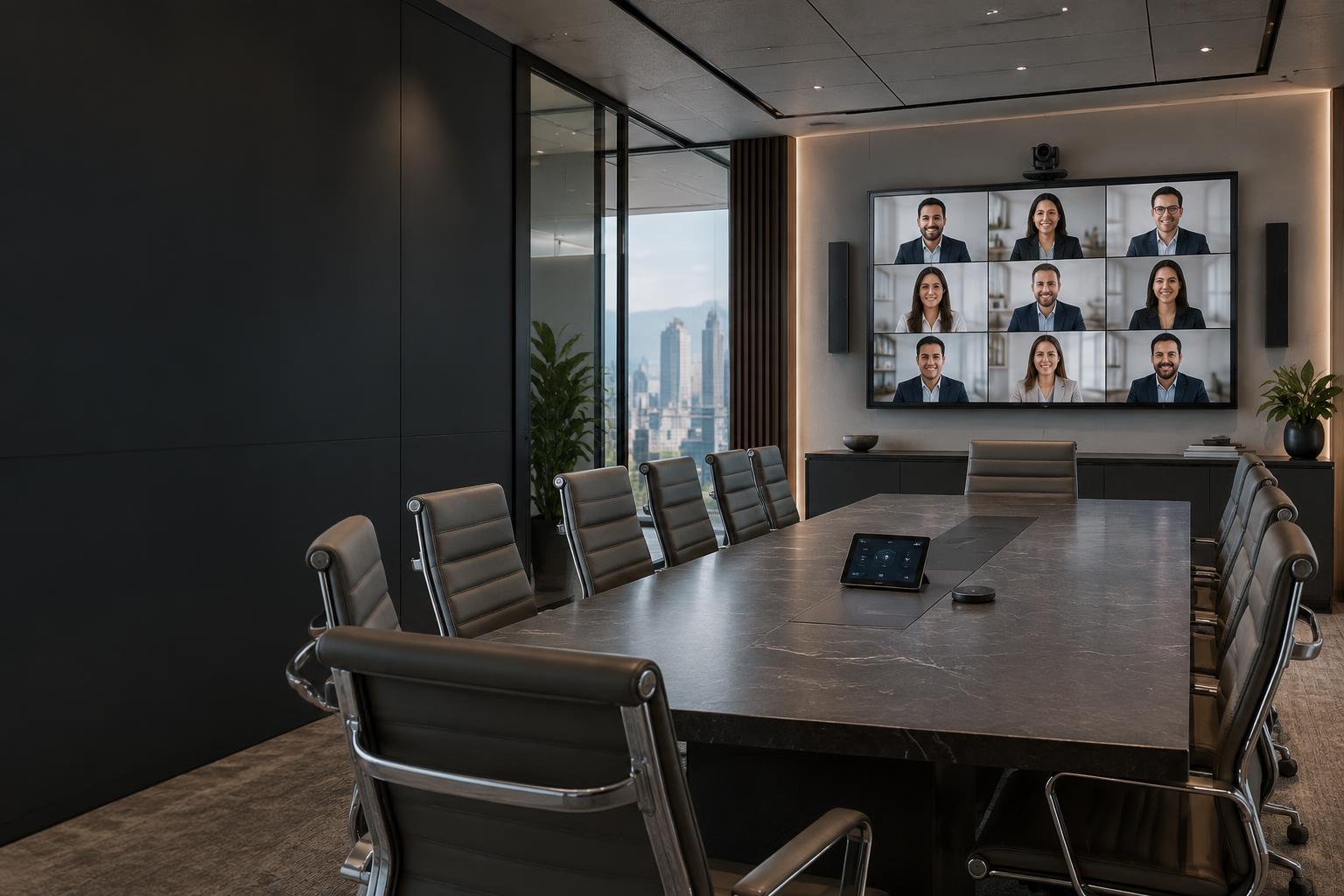
AV integration · Teams Rooms · Zoom Rooms · Mexico
We design rooms where meetings start without improvisation. We integrate cameras, microphones, displays, control and wireless collaboration around Microsoft Teams Rooms, Zoom Rooms or the workflow your business uses.
DIRECT ANSWER
It is the coordinated integration of video, audio, displays, control, connectivity and collaboration platforms within a room. Its goal is to let in-person and remote participants see, hear and share content with consistent operation.
The platform and the room address different layers. UCaaS manages calls, messaging and collaboration; AV integration gives the physical space a clear, easy-to-use experience.
Each element is selected for the space, platform, people and the way your organization actually meets.
We integrate native room systems with calendars, touch panels and a consistent meeting interface. We also account for interoperability and BYOD when your operations require them.
We define field of view, automatic framing and participant tracking based on the geometry, distances and actual use of the space.
We design coverage with tabletop, ceiling or soundbar microphones, signal processing, echo cancellation and acoustic treatment where needed.
We calculate screen size, resolution, brightness, viewing distance and placement so content and remote participants are easy to see.
Share content or use a visitor's meeting platform with fewer adapters and steps, while keeping the room's audio and video capabilities.
We centralize power, sources, volume and device status. Documentation and support reduce reliance on improvised configurations.
CORPORATE SPACES
A boardroom is not equipped like a huddle room. Capacity, distance and acoustics change the design.
An all-in-one video bar, display and straightforward connection for collaboration without occupying a large room.
Balanced camera and microphone coverage so everyone can see, hear and share content.
Discreet integration, unified control, intelligible audio and suitable displays for critical meetings.
Signal processing, sound reinforcement, cameras and configurable setups based on capacity and usage.
The difference becomes clear when a room must work every day for different users, meetings and platforms.
| Criteria | Standalone equipment | BITS integrated AV room |
|---|---|---|
| Starting a meeting | Depends on cables and manual adjustments | Calendar and meeting access through a defined interface |
| Audio | Laptop microphone or uneven coverage | Designed coverage and acoustic processing |
| Video | Camera framing not suited to the space | Field of view and tracking tailored to the room type |
| Platforms | Different equipment for each application | Teams Rooms, Zoom Rooms or BYOD as appropriate |
| Support | Undocumented configuration | Inventory, diagrams, settings and acceptance testing |
BITS METHODOLOGY
Deployment includes the user experience, not just equipment connections.
We review dimensions, lighting, acoustics, network, power, furniture, platforms and how users work.
We define camera and audio coverage, displays, control, cabling, connectivity and the user experience before selecting equipment.
We mount, connect and configure every element with attention to aesthetics, ventilation, accessibility and infrastructure organization.
We validate calls, content sharing, acoustics and controls; deliver documentation; and train users and internal support teams.
DELIVERABLES
Handover provides clear guidance for users, internal support and future expansion.
Results improve when audio and video work together with networking, cabling, Wi-Fi and automation.
It can include displays, cameras, microphones, speakers, processing, touch controls, wireless collaboration, cabling, networking, Teams Rooms or Zoom Rooms configuration, testing, training and support. The scope depends on room size, acoustic conditions and the experience your business needs.
An integrated room designs cameras, audio, displays, control and connectivity together so all participants can see and hear one another. A laptop can handle individual meetings, but often limits coverage, speech intelligibility and consistent operation in shared spaces.
Interoperability depends on configuration, licenses and selected equipment. BYOD can also be enabled to use a laptop's application with the room's camera, microphones and display. BITS defines the appropriate option based on the platforms your business uses.
Zoom Rooms is suitable when Zoom is a core collaboration platform and your business needs a standardized experience in physical meeting rooms. The decision should consider calendars, administration, compatibility, room types and operational support.
We review surfaces, reverberation, speaker and microphone placement, coverage and signal processing. Echo cancellation helps, but rooms with challenging acoustics may also require physical adjustments or acoustic treatment.
Yes. Wireless collaboration lets compatible devices present without an HDMI connection. Before selecting a system, we review security, networking, operating systems, visitor access and whether users need the room's camera and microphones.
Yes. The design varies with capacity, table layout, distances, acoustics, platform and operational importance. We can standardize everything from huddle rooms to executive boardrooms, auditoriums and divisible spaces with a consistent user experience.
Delivery may include an inventory, diagrams, configuration, agreed administrator credentials, test results, an operating guide, training and support criteria. Deliverables are defined in the proposal.
Schedule an assessment of your space, platforms and current experience. BITS will provide a technical proposal to integrate the room, rather than buying separate equipment and hoping it works together.
Business support in Mexico · +52 614 399 2945